Most Shopify merchants never realize that the platform already includes a free AI assistant. Yet ai chatbot for shopify customer service often means buying a third‑party app that duplicates what Inbox already does. Before you spend a dime, understand exactly what Shopify Inbox provides, where it falls short, and which capabilities truly justify an upgrade.
What Shopify Inbox actually does (for free)
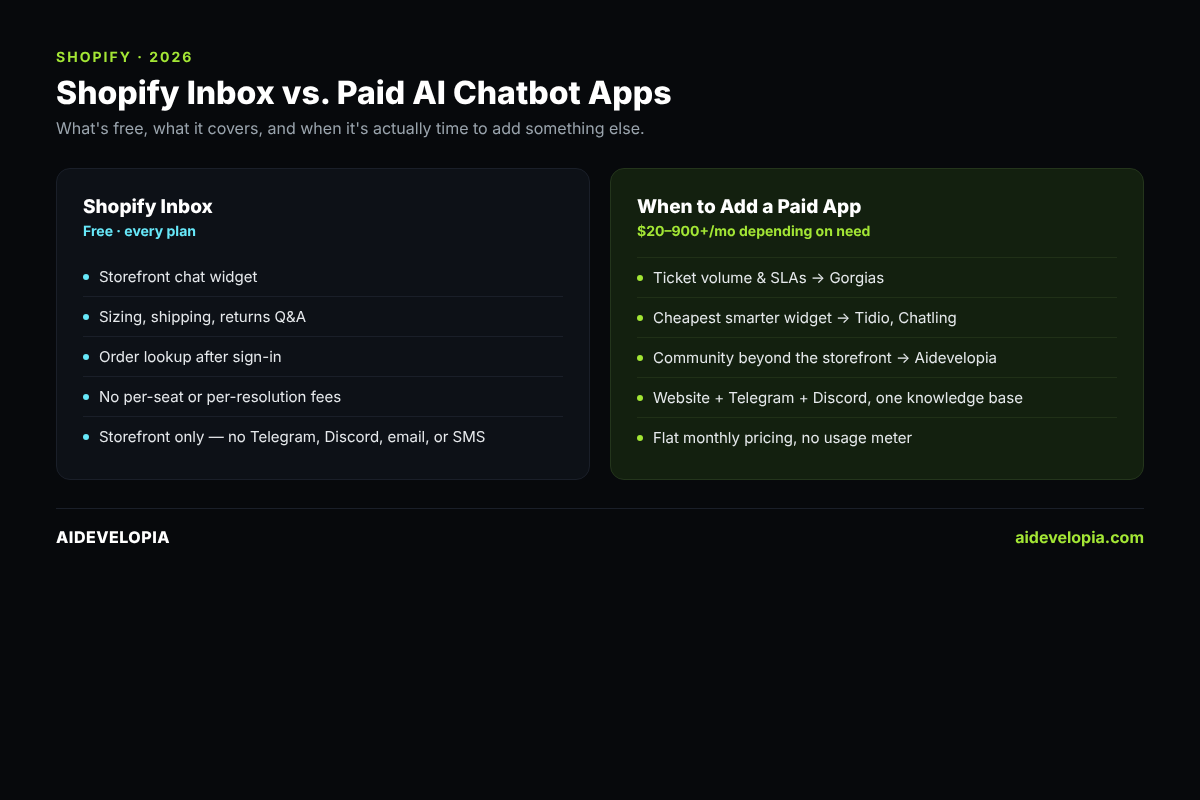
Inbox is the native chat widget that appears on your storefront. It offers two layers:
Rule‑based tools – Instant Answers and Quick Replies that you configure manually.
Opt‑in AI agent – Reads your product catalog and policy pages to answer questions about sizing, shipping, returns, and can look up order status once a shopper signs in.
All of this is free on every Shopify plan, with no per‑seat or per‑resolution fees. If you haven’t enabled the AI agent yet, it’s a five‑minute toggle in the Inbox settings.
Where the free solution stops
Inbox is confined to the chat widget on your website. It does not reach:
Email, SMS, Instagram DMs, or Facebook Messenger.
Community platforms such as Telegram or Discord.
Advanced ticket routing, SLA management, or analytics that larger support teams need.
In short, Inbox handles the core storefront questions but cannot support multi‑channel or help‑desk workflows.
When free stops being enough
Three common triggers push merchants beyond Inbox:
Help‑desk requirements – When tickets accumulate across email and chat, you need routing, SLAs, and a shared inbox. Apps like Gorgias provide a Shopify‑native help desk with ticket workflows.
Cheapest AI upgrade – If you only want a smarter widget on the same storefront, low‑friction options such as Tidio or Chatling add AI without extra channels.
Community channels – If your customers converse on Discord, Telegram, or other platforms, you need a solution that can answer the same questions there.
What doesn’t work / common pitfalls
Many merchants assume any AI chatbot will automatically handle order‑status inquiries. That is not the case for most third‑party apps. Aidevelopia, for example, doesn’t connect to Shopify’s live order data yet, so it can’t automatically look up a fresh order the way Shopify Inbox can — it can only answer order questions if the merchant has added that order info to its knowledge base themselves. Buying a tool that lacks this core use case can lead to duplicated effort and frustrated shoppers.
Another frequent mistake is treating a single‑channel widget as a full support system. Without ticket routing or escalation paths, unanswered questions fall through the cracks, especially when volume grows.
Where Aidevelopia fits – and its current limits
Aidevelopia installs from the Shopify App Store with no code or API keys. It crawls your product pages, collection pages, policies, and any uploaded FAQs, then answers sizing, shipping, returns, and policy questions on:
Website widget
Telegram bot
Discord bot
Each answer includes a citation to the source document, and the bot hands off to a human when it is unsure. This multi‑channel coverage is the primary reason to consider Aidevelopia over Inbox alone.
However, Aidevelopia does not look up order status yet. For stores where “where is my order?” is a top ticket type, you must keep Inbox active for that function.
Practical upgrade path
Enable Shopify Inbox’s AI agent if you haven’t already. It’s free and covers order lookups.
Assess support volume. If you need ticket routing, SLA tracking, or a shared inbox, evaluate a help‑desk app such as Gorgias.
If your brand lives on Discord, Telegram, or other community platforms, add Aidevelopia. Its flat‑rate plans start at $45/month for the tier that includes Discord ($20/month only covers Website + Telegram), a Telegram bot, and the ability to answer policy questions across channels.
Because Aidevelopia can run alongside Inbox, you can trial it risk‑free for 30 days and see which questions each system resolves.
Install Aidevelopia from the Shopify App Store →
FAQ
Is Shopify Inbox enough on its own?
For many small stores, yes. It handles product, shipping, return, and order‑status queries without any cost. It becomes insufficient when you need multi‑channel coverage or help‑desk features.
Do third‑party AI chatbots replace Inbox?
Most merchants run both. Inbox stays for order lookups and basic storefront questions, while a paid app adds channels, deeper automation, or ticket management.
Can an AI chatbot on Shopify answer “where’s my order”?
Shopify’s own Inbox agent can, once the shopper signs in. Aidevelopia does not yet provide this capability.
How much does a paid AI chatbot cost on Shopify?
Flat‑rate plans start at $20 / month (Aidevelopia, Tidio, Chatling). Help‑desk platforms like Gorgias charge based on ticket volume and can reach several hundred dollars per month for larger operations.
Conclusion
Start with the free AI agent in Shopify Inbox – it covers the most common support queries and order lookups. When your store outgrows a single widget, choose the tool that matches the exact gap: a help‑desk for ticket workflow, a low‑cost widget upgrade for a smarter storefront, or a multi‑channel AI layer like Aidevelopia for community platforms. By aligning the upgrade to a concrete need, you avoid paying for features you never use.
See how Aidevelopia answers your customers across website, Telegram, and Discord →